
Planting
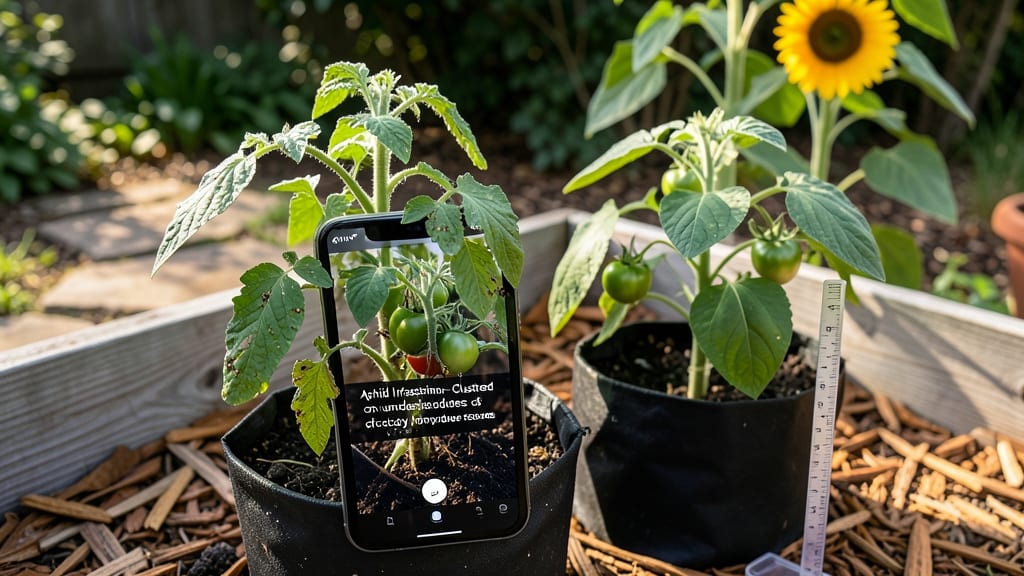
A plant app diagnosis just got a quick solution. 🌿 Diagnosing leaf problems used to mean hours of research—now a free app and your phone can reveal the issue in seconds, whether it’s powdery mildew, aphids, or nutrient deficiency.
I’ve used these tools to rescue struggling plants, and they’ve saved me from replacing entire gardens.
The best apps like PlantNet and PictureThis work by matching your plant photos to a database of thousands of conditions. You’ll need a clear image of the problem area (underside of leaves, stems, or roots if possible) and a steady internet connection.
Most free versions cover common issues, while premium upgrades add treatment suggestions and plant care guides.
Within minutes, you’ll get a diagnosis with actionable fixes—like adjusting watering, applying neem oil, or repotting. The accuracy is surprisingly high for everyday problems, though rare or complex cases might need a second opinion from a local nursery expert.
Works for houseplants, garden beds, or even office plants—just snap a photo whenever you spot trouble. No more guessing why your basil is turning yellow or your roses are spotted. Here’s how to use them like a pro without wasting time.
📚 In This Guide
- What you need
- Instructions
- Tips and common mistakes
- Wrapping up and next steps
What you need
- ● Smartphone or tablet (iOS/Android) with a decent camera (12MP or higher recommended).
- ● Plant diagnosis app (e.g., PlantNet, PictureThis, or Google Lens—free or premium versions work).
- ● Natural or LED light source (bright, indirect light for clear photos—avoid harsh shadows!).
- ○ Magnifying glass or macro lens attachment (optional but helpful for spotting tiny pests or fungal spots).
- ● Notebook & pen (to jot down symptoms, dates, or treatment notes).
- ● Ruler or measuring tape (to note leaf spot sizes or stem thickness for app accuracy).
- ● Small paintbrush or cotton swab (for gently brushing off debris or collecting samples if needed).
- ● Gloves (if handling diseased plants or soil to avoid skin irritation).
- ● Moisture meter (to check soil hydration—some apps sync with these!).
- ● Reference plant care guide (for cross-checking app suggestions).
- ● Trimming shears (sterilized with rubbing alcohol for pruning infected areas).
- ● Sample bags or ziplock bags (to collect leaves/stems for lab testing if needed).
Quick fixes for wilted, yellow, OR diseased leaves
Diagnosing plant problems fast saves your garden—here’s how to spot issues and act before they spread.
🌿 Step 1: Assess the Problem with the 3-Step Visual Check
Start by examining the plant’s leaves, stems, and roots—each tells a different story. Wilted leaves often signal underwatering or root stress, while yellowing (chlorosis) usually points to nutrient deficiencies or pH imbalances. Diseased leaves—spotted, moldy, or with strange growths—require immediate isolation to prevent spread.
Gently squeeze the stem near the base: if it snaps crisply, it’s likely overwatered (rot risk). If it bends without snapping, underwatering is the culprit. Check the soil’s top inch—if it’s bone-dry, water is the issue. If it’s soggy, you’ve got root rot brewing.
💧 Step 2: Apply Targeted Fixes Based on Symptoms
For wilted but green leaves, water deeply until it drains from the bottom of the pot. If the plant perks up within an hour, you’ve solved it. If not, transplant into fresh, well-draining soil—the roots may be suffocating. Yellow leaves with green veins? Iron deficiency is likely. Mix 1 teaspoon of chelated iron into the top inch of soil and water thoroughly.
Diseased leaves need urgent action: Snip off affected foliage ½ inch below the damage with sterilized scissors (wipe with rubbing alcohol between cuts). Move the plant to a quarantine spot with good airflow—humidity fuels fungal spread. If powdery mildew appears, spray with a 1:1 water-to-milk mix (milk’s natural compounds inhibit fungal growth).
✂️ Step 3: Adjust Care Routines to Prevent Recurrence
Overwatering is the #1 killer—wait until the top 2 inches of soil feel dry before watering again. Use a moisture meter for accuracy, especially in containers. For nutrient issues, fertilize lightly with a balanced 10-10-10 formula (½ the recommended dose) every 4-6 weeks during growing season. Over-fertilizing burns roots faster than deficiency.
Boost airflow around plants by pruning crowded branches and spacing them 6-12 inches apart. If your space is humid, run a small fan on low near affected plants—gentle airflow disrupts fungal spores. For outdoor plants, water in the morning so leaves dry by evening, reducing disease risk.
🌱 Step 4: Monitor and Repeat Diagnostics Weekly
Healthy plants show new growth within 7-10 days after fixes. If symptoms persist, dig deeper: compacted soil? Loosen roots and amend with perlite. Pests? Check undersides of leaves for mites or aphids. Keep a plant journal noting fixes and outcomes—patterns emerge over time.
Real talk: Some issues (like bacterial infections) are terminal. If the plant’s center stem turns mushy or leaves blacken rapidly, it’s often best to remove it entirely. Save your energy for the plants that respond—one healthy specimen prevents ten infections.
Tips & tricks for plant problem diagnosis
Plant issues don't have to be a guessing game—these targeted tips will help you diagnose and fix problems faster than ever.
Visual Cues Matter: In Step 1, when checking stems for overwatering, look for a crisp snap—this is your clearest sign of rot. For underwatering, the stem should bend like a green twig. I’ve seen gardeners miss this test entirely, only to discover root rot too late. A quick stem squeeze can save your plant before you even check the soil.
Precision in Pruning: When removing diseased leaves in Step 2, always cut ½ inch below visible damage—this prevents hidden pathogens from spreading. Sterilize your scissors between cuts with rubbing alcohol (I keep a small bottle nearby). I’ve watched fungal infections flare up because gardeners reused scissors without cleaning them.
Soil Testing Shortcut: If you suspect nutrient deficiencies like iron chlorosis, try this quick test: Rub a leaf between your fingers. If it feels gritty or leaves a green residue, your soil may need amendment. For a deeper check, use a soil pH test kit—most deficiencies occur between pH 5.5 and 7.5. I keep one in my gardening toolkit for exactly this purpose.
Airflow Hack: For Step 3’s airflow recommendations, position a small fan 6-12 inches away from plants—close enough to disrupt spores but not blast leaves. I’ve seen dramatic improvements in powdery mildew cases within 48 hours of adding this simple airflow. Just avoid direct airflow on delicate blooms.
Pro Tips for Plant App Diagnosis
- Plant issues don't have to be a guessing game—these targeted tips will help you diagnose and fix problems faster than ever.
- Visual Cues Matter: In Step 1, when checking stems for overwatering, look for a crisp snap—this is your clearest sign of rot.
- Precision in Pruning: When removing diseased leaves in Step 2, always cut ½ inch below visible damage—this prevents hidden pathogens from spreading.
Frequently asked questions
Got questions about using a plant app diagnosis tool to save your struggling greens? You’re not alone! Here are the most common queries—and their quick, actionable answers—to help you diagnose and revive your plants faster.
How accurate are plant diagnosis apps compared to a real botanist?
Most apps use AI trained on thousands of plant symptoms, achieving ~85-95% accuracy for common issues like pests or nutrient deficiencies. For rare diseases, cross-check with local extension services or a pro. Think of it like a smart first aid kit—fast, but not a full replacement for expert care!
How long does it take to get a diagnosis from a plant app?
Typically under 30 seconds! Snap a clear photo (follow the app’s lighting tips), upload it, and boom—you’ll see potential issues, care steps, and even product recommendations. Pro tip: Take shots in natural light and include a close-up of symptoms for the best results.
Can I use a plant diagnosis app on my phone without Wi-Fi?
Yes—but with a catch! Most apps need an initial download (so check for offline mode) or require Wi-Fi for cloud-based analysis. For offline use, try PlantNet or PictureThis, which store databases locally. Download the app before heading to your garden!
What if the app suggests treatment but my plant is already too far gone?
Sometimes, plants are beyond saving—but apps can still help you learn for next time. Focus on preventing spread to other plants (quarantine!), compost the unhealthy parts, and use the app’s “prevention tips” for similar species. Think of it as a post-mortem lesson!
Are free plant diagnosis apps as good as paid ones?
Free apps (like Google Lens or PlantSnap) cover basics well, but paid versions (e.g., PictureThis Premium) offer detailed treatment plans, shopping lists, and priority support. If you’re a serious gardener, the upgrade might save you time—and money on overbuying supplies!
Wrapping up and next steps
Diagnosing plant issues with a plant app doesn’t have to be intimidating—it’s all about observing, comparing, and acting! 🌱 With the right tools and a little patience, you can revive wilted leaves, tackle yellowing, or even spot diseases early. Your green thumb is just a tap away!
Ready to take the next step? Download a trusted plant app today, snap a few photos, and start your journey to healthier plants. Whether you’re a beginner or a seasoned gardener, these quick fixes will keep your garden thriving year-round. Happy diagnosing! 🌿